
Every mobile phone has a built-in stopwatch and a countdown timer. Well, almost every mobile phone. If your phone runs on Symbian, there's no stopwatch and no countdown timer. You can download timer and stopwatch programs, but these usually cost more than a hardware egg timer from the supermarket.
Freeware timers and stopwatches for Symbian are in short supply. Buzzer is a free countdown timer, but this is a mobile Java program that requires a profile with warning tones switched on to sound alarms. Things look better if you want to count up, because QuickStopwatch is a pretty good mobile Java application.
EggClock is a free Symbian countdown timer. It works without warning tones, and you can set any sound file on your phone as alarm tone. Drawbacks: it won't store multiple timers, and the maximum timer duration is 100 minutes. EggClock is available for Symbian S60 3rd ed., and also for S60 5th ed., which runs on touchscreen Nokia phones.
Timers has a countdown timer and a very simple stopwatch. Unfortunately Timer is a mobile Java program that requires a profile with warning tones to make sound. It can run multiple timers, but it won't store them: when you exit the program all your timers are gone. Timers won't let you set seconds (only hours and minutes), and it won't let you choose your own alarm tone but only uses its own built-in beep.
• EggClock 1.5 (for Symbian S60 3th ed.) from Ziddu UPDATE: This link is dead. And so is Symbian.
• EggClock 1.6 (for Symbian S60 5th ed.) from Ziddu UPDATE: This link is dead. And so is Symbian.
• Timers (at GetJar)
Wednesday, 16 September 2009
Counting up and down: EggClock and Timers


Saturday, 5 September 2009
YouTube video downloader YourTube free again, Sleep Music for Feature Pack 2 too
YourTube
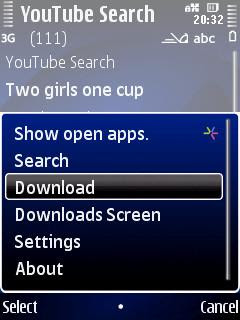
YouTube won't let you download movies to your mobile phone for offline viewing. Enter YourTube, a YouTube downloader that searches videos on YouTube and lets you save them in three video formats (mp4, flv, and 3gp) and different quality settings. YouTube is a mobile Java program, so when you save a movie to your phone it will pop up some security warnings. And sometimes more than some.
YourTube was free, went commercial, but the latest version is free again. Some bugs were fixed too, although that doesn't necessarily mean YourTube will work on your phone. YouTube tries to block video downloader programs like YourTube, and on phones with tight mobile Java security the numerous security popups that need to be clicked away make YourTube unusable.
• YourTube
A better way to download YouTube movies is through your mobile web browser:
• Youtube Mobile Downloader: www.mfws.ro/m.youtube.com UPDATE: this link expired
• Youtube Downloader: www.mfws.ro/youtube.com UPDATE: this link expired
You can download movies from RedTube too.
Sleep Music
Symbian mobile phone timer Sleep Music can switch off your music player, any other program, or even our entire phone. If your phone has an accelerometer, Sleep Music can change the song if you shake you shake your phone. Sleep Music responds to the buttons of some headsets too.
Sleep Music only used to work on Symbian S60 3rd ed. Feature Pack 1 (and pre-FP1 phones), but the latest update works on Feature Pack 2 too. It doesn't work with Symbian S60 5th ed., which means Sleep Music is not compatible with touchscreen Nokias like the N97 and 5800 Xpress Music. Maybe a future update will take care of that?
Sleep Music is not easy to install. It comes as four different .sis files which you have to sign if your phone is not set free, and it needs Python too.
• Sleep Music
Friday, 4 September 2009
Theme Scheduler, Profile Scheduler, and Key Lock Clock speak more languages


Theme Scheduler changes the theme of your mobile phone on schedule, schedules the background image of your active standby screen, and it can link themes to your current active profile.
Profile Scheduler automatically switches profiles on your phone, so you'll never forget to put it on ultraloud when you go out, or to activate silent mode for classes or scheduled business meetings.
Theme Scheduler and Profile Scheduler now speak eight extra languages, bringing the total to 20.
Both programs come in two flavors: signed and unsigned. The unsigned versions are free, but you'll have to run them through Symbian Signed before you can install 'em on your phone, or sign 'em with your own certificate, or hack your phone to break free from Symbian Signed.
The signed versions are bundled with adtronic, an intrusive piece of adware that pollutes your phone with advertisements when you get called or receive an SMS. That's right: adtronic puts ads on your screen even when Theme Scheduler and Profile Scheduler are not running! So better get the unsigned versions of Theme Scheduler and Profile Scheduler. Signing the program or hacking your phone takes a little extra work, but having adtronic on your phone is much worse.

Key Lock Clock is only available as an unsigned test version. On the bright side, it's not bundled with adtronic.
Key Lock Clock displays a clock on your screen when you lock the keypad, which is especially useful on 60 3rd ed. Feature Pack 2 phones without a built-in "set clock as screensaver" option. Key Lock Clock lets you set your own clock font, light intensity, background color, and light timeout period.
The latest update fixes bugs and adds languages, bringing the total language count to twenty.
• Theme Scheduler
• themes to feed to Theme Scheduler
• Profile Scheduler
• Key Lock Clock
Tuesday, 25 August 2009
Light Control learned to blink, Theme Scheduler learned new languages, Profile Scheduler and Key Lock Clock killed bugs

Light Control
Light Control gives you much more control over the light settings of your phone than Symbian's own display settings menu.
Lost in the dark? Light Control can turn the camera flash into a flashlight on some phones. If that doesn't work on your phone, Light Control can still turn your phone into a torch by lighting up the screen to full brightness in different colors. And if you're really lost, Light Control can make your phone blink SOS in morse code.
Light Control won't show itself in the Symbian task manager if you send it to the background, so close it from the Options menu if you don't want it to keep running.
The latest update fixes a startup bug (that used to bite the Nokia N78), and you can make the light blink too.
Light Control is unsigned. You can check if Symbian's Open Signed Online will sign it for you, or sign it yourself, or hack your phone so you can install unsigned programs without having to worry about signing programs.
• Light Control v1.36 on Mobile Castle (the original Light Control homepage is in chinese)
• if you only need a flashlight, try BrightLight
Theme Scheduler and Profile Scheduler
Theme Scheduler and Profile Scheduler automate changing the looks and sounds of your phone.
Theme Scheduler changes the theme of your mobile phone on schedule. It can schedule the background image of your active standby screen too. Theme Scheduler can also link themes to your current active profile, so that your phone changes theme when you change profile. This can be useful if you often switch between silent, offline, and loud profiles, because then the selected theme tells you what type of profile is active.
The latest edition is available in 6 languages: english, deutsch, español, suomi, thai and català.
Profile Scheduler is similar to Theme Scheduler. This program automatically switches profiles on your phone, so you'll never forget to set your phone on silent mode for your weekly business meeting, or put it on ultraloud when you go out.
The latest version of Profile Scheduler lets you enable/disable individual schedules, fixes a lot of bugs, and it speaks english, deutsch, español, suomi, thai and català.
Theme Scheduler and Profile Scheduler come in two versions: signed and unsigned. The unsigned versions are free, but you'll have to run them through the Symbian Signed bureaucracy before you can install 'em on your phone, or sign 'em with your own certificate, or hack your phone to break free from the claws of Symbian Signed.
Publisher IDs cost money, so the signed versions are bundled with adtronic to cover the cost. Adtronic is a horribly intrusive application that pollutes your phone with advertisements (even when Theme Scheduler or Profile Scheduler is not running!), so better get the unsigned version of Theme Scheduler and Profile Scheduler. Signing the program or hacking your phone takes a bit of extra work, but allowing adtronic to infect your phone is much, much, much worse.
• Theme Scheduler by Jukka Silvennoinen
• themes to feed to Theme Scheduler
• Profile Scheduler by Jukka Silvennoinen
Key Lock Clock
Key Lock Clock by DrJukka displays a clock on your screen when you lock the keypad. This is especially useful on 60 3rd ed. Feature Pack 2 phones without a built-in "set clock as screensaver" option. Key Lock Clock lets you choose your own clock font, and you can set the light timeout period.
The latest update fixes a bug that plagued the Nokia 5800 XpressMusic.
Key Lock Clock is still in alpha testing, and it is unsigned. You can run it through the Symbian Signed madness, or sign it with your own certificate, or hack your phone to break free from the claws of Symbian Signed.
• Key Lock Clock
Monday, 13 July 2009
FreeFSWP turns your standby screen wallpaper full screen, KeyLockClock shows the time when you lock your keypad

FreeFSWP
Symbian's own wallpaper option won't display the top and bottom part of your image on your standby screen, but FreeFSWP by junnikokuki shows the full picture everywhere. It replaces your theme background with any image of your choice. On your standby screen, in the menu, in folders, and in every application that uses your theme image as background.
Version 1.01.1 fixes a wallpaper selection bug that bit some phones.
FreeFSWP only works on Symbian S60 3rd edition phones with feature pack 1 or older. This includes popular phones like the Nokia N82 and N95. It doesn't work on feature pack 2 phones like the Nokia N79 or S60 th ed. phones like the Nokia 5800XM. The program needs to be signed before you can install it, unless you've hacked your phone to get rid of the Symbian Signed madness.
The latest version is not yet available on the english part of the official site, but you can already get it from Mobile Castle.
• FreeFSWP on junnikokuki's site
• FreeFSWP 1.01.1 on Mobile Castle
KeyLockClock
KeyLockClock by DrJukka displays a clock on your screen when you lock the keypad. You can choose your own clock font and set the light timeout period.
• KeyLockClock
This entry was stolen by the copycats of nokiashare.blogspot.com because these thieves are too stupid to write their own stories.
Sunday, 7 June 2009
Automatically run your programs from time to time with Timer switch

If you want your VoIP application to run every day from 9 to 5, or connect your instant messenger from 5 to midnight, or run any other program at a specific time without having to switch it on, then Timer switch will do it for you.
Timer switch is a very simple task timer: select the programs you'd like to run on your mobile phone, enter the start and end time, and Timer switch will start and stop the selected applications at the right time.
Unfortunately Timer switch just does times. You can't tell it to run programs on weekdays (or weekends) only. Maybe a future version will be able to add days as well?
• Timer switch official site (in chinese)
• Timer switch v1.0 on Mobile Castle (in english)
Wednesday, 13 May 2009
Countdown timer Buzzer gets a bigger icon

Buzzer is a phone countdown timer program that can tell you that time's up with noise, vibrations, or both. And unlike Best Timer and Time Machine Buzzer is free.
The latest version has a new program icon, because the low resolution icon of the previous version looked quite bad on the 240x340 pixel screens of the most widely used Symbian phones.
Buzzer's user interface could be better. Softkey labeling could be improved, and a "preview" feature in the settings screen for the alarm sounds sounds like a good idea too.
Some extra features like multiple alarms, save alarms and give them names, using the phone's own volume slider, custom alarm tones, and a stopwatch would be useful too, but even without those extras Buzzer is the best (and maybe the only) free countdown timer that works on Symbian phones.
Buzzer is not a real Symbian application (it's written in mobile Java), and you'll need to have warning tones switched on (don't forget to switch 'em off if you want your camera to be silent). The warning tone requirement affects all mobile Java programs, so a Symbian version of Buzzer would be welcome. Or maybe a Python version?
• Buzzer
UPDATE: EggClock does what Buzzer does, but EggClock does it better.
Tuesday, 12 May 2009
Switch Off updated, for Symbian S60 3rd and 5th ed.

Switch Off can switch off your Nokia. At night, in planes, during meetings... just enter a time and Switch Off will switch off your phone for you. It has an inactivity timer to ensure your phone doesn't get switched off when you're using it.
It works on phones with Symbian S60 3rd and 5th ed.
Switch Off is unsigned. You can sign it yourself with a developer certificate, try to get it signed on Symbian Signed Online, or use the SIS Installer Mod so you can install any unsigned program you like.
• Switch Off official site (in russian)
• Switch Off v2.0.2 on Mobile Castle (english)
Sunday, 12 April 2009
Take time, take notes: QuickStopwatch and SafeNote

QuickStopwatch
All mobile phones have a free stopwatch built in. It's been like that for ages. Well, almost all mobile phones. Symbian S60 phones come without a stopwatch.
But there's QuickStopwatch, a very simple mobile Java stopwatch program. No split timers, no laps, just a single clock that counts up. It can be paused, and that's the only extra.
For more options there's Stopwatch, which can run five different clocks simultaneously and includes split and lap timing.
• QuickStopwatch
• Stopwatch
Phat^Trance from Daily Mobile mailed me about a stopwatch for the touchscreen Nokia 5800 XpressMusic:
• Timer for Nokia 5800
If you need a free countdown timer, there's Buzzer:
• Buzzer
SafeNote
SafeNote stores notes in groups such as "business," "personal," and any groups you make yourself. You can search for text within a note, but you can't search all notes at once. It comes with optional password protection to keep you notes private.
SafeNote has no backup and restore option of its own, but with the latest version your notes are backed up when you back up the contents of your phone from the Symbian file manager or data manager.
• SafeNote
If you don't like SafeNote, try MyNotes:
• MyNotes
Thursday, 8 January 2009
FreeTimeBox time synchronisation tool now Symbian Signed

FreeTimeBox synchronises your mobile phone clock with an atomic clock, either automatically or on demand. It can also sync your clock by SMS and with GPS. You can schedule time synchronisation if you want: every day, every week, every month, the choice is yours.
And that's not all. You can run FreeTimeBox on demand or automatically at startup to display a clock in the programs menu, in any application, in all Symbian configuration screens, and anywhere else on your phone. You can exclude the clock in certain applications too. Of course you can also switch the time display feature off and use FreeTimeBox for time synchronisation only. Or the other way 'round.
FreeTimeBox version 1.05 is now signed, so you don't need to sign it yourself or hack Symbian to install it. If you install FreeTimeBox 1.05 on top of an older copy your phone may pop up error messages. Removing your old copy before you install the new version should fix that.
• FreeTimeBox 1.05 from junnikokuki
If junnikokuki's site is unavailable, try here:
• FreeTimeBox 1.05 (direct download link)
• FreeTimeBox 1.05 from Mobile Castle (signup/login required)
If you don't trust the accuracy of the default time server (or if the default IP address gets out of date - FreeTimeBox can't handle domain names) you can make it connect to any other time server you like. Two lists of time server IP addresses that work with FreeTimeBox:
1. NIST time server list
2. List of time server addresses at microsoft.com
Friday, 12 December 2008
Music players and tools: Nokia Internet Radio, KuGou, Sleep Music, Tunebite, Audio Tuner

Nokia Internet Radio is as simple as a radio. Find a station, click it, and listen.
The radio station directory is easy to navigate, and the number of stations keeps growing.
So far, so good.
But as expected, the programmers at Nokia did a couple of stupid things that were totally unnecessary. For example:
- Why limit the list of favourite stations to 20 entries?
- Why make it impossible to copy a station URL from the station details tab? Are you afraid we'll copy the addresses to a competing radio player?
- And why don't saved radio stations appear in the multimedia menu?
In recent Nokia phones the Nokia Internet Radio program is built into the Radio application. If you have an older Nokia you can download Nokia Internet Radio from:
• Nokia Internet Radio UPDATE: This link is dead. And so is Symbian.
Kugou is a music player that plays many different formats. Of course it plays mp3 and aac, but it also plays wma and the lossless compression format flac. And a lot of other formats too.
The Kugou user interface is translated from chinese to english. The translation looks funny, but it's functional anyway.
But that doesn't make Kugou a good music player. Kugou displays all your music in one big list without filtering by artist, genre, or other mp3 tags. It can sort your files by artist or title, but that doesn't really help you navigate your collection if it's larger than a few dozen songs. If you have a thousand tracks on your memory card, don't expect to find them quickly in Kugou. Especially not if your phone is bitten by the same display bug as mine. Kugou couldn't write the names of the songs in the music list, so they were all displayed as E! instead. All six hundred of them.
My advice: forget about Kugou for the time being, and use TTPod until PowerMP3 is ready.
• Kugou (english version) on Mobile Castle UPDATE: This link is dead. And so is Symbian.
Sleep Music is a timer program that can switch off the built in music player of your phone after it has played you to sleep. It can switch off the radio application too. The latest version of Sleep Music can shut down TTPod or LCG Jukebox or any other application. Sleep Music can even switch off your phone for you.
• Sleep Music 1.05 at Mobile Castle UPDATE: This link is dead. And so is Symbian.
Tunebite plays tracks at high speed and records them to a file. That file will play back at normal speed, of course.
Why would you want to do that? Imagine you've downloaded some tracks from Nokia's "comes with music" store. Those files are crippled by DRM, so it's really hard to make 'em work on another phone. Or iPod or computer or any device other than the Nokia that you used to get those tracks. Tunebite turns 'em into normal mp3 files that you can play without any restrictions anytime anywhere.
Tunebite is expensive (30 euros for the full version when I checked today), but the makers of Tunebite got a taste of their own: the Tunebite DRM has been removed as well.
• Tunebite to remove DRM from music, audiobooks, and video (expensive) UPDATE: This link is dead. And so is Symbian.
• Tunebite with its own DRM removed (for BitTorrent, very cheap :) UPDATE: This link is dead. And so is Symbian.
Audio Tuner turns your phone into a guitar tuner. And a piano tuner. And a bass tuner And you can use it to tune other instruments as well.
Audio Tuner displays the target frequency as a green line, then records your guitar string or whatever sound you feed into your phone mic, and displays the recorded frequency spectrum as a red line. Keep pulling the strings 'till the green and red lines overlap and you're tuned.
• Audio Tuner
Thursday, 11 September 2008
Repair FreeTimeSync by configuring a new time server

FreeTimeSync has been replaced by a new program: FreeTimeBox. FreeTimeBox does everything FreeTimeSync does, and more than that. Click here for details.
FreeTimeSync makes sure your Symbian phone really knows what time it is. It connects to an internet time server to synchronise your mobile phone clock with the time of ntps1-1.cs.tu-berlin.de.
If you don't trust their accuracy you can connect to any other time server you like.
If you trust their accuracy, it may still be a good idea to click on "options" and to select "set time server IP," because the time server IP address that comes with the default FreeTimeSync installation may be out of date.
Fortunately there are a lot of time servers to choose from. NIST has a list of NIST Internet Time Service IP addresses, and Microsoft has posted a list of time server IP addresses from all over the planet.
So if FeeTimeSync gives you timeouts or other errors when you try to set your mobile clock, just feed it a new time server IP address.
Of course it would be a lot easier if FreeTimeSync could handle time server URLs instead of just IP addresses. Maybe in a future vesion?
• FreeTimeSync from junnikokuki (obsolete)
• NIST time server list
• List of time server addresses at microsoft.com
FreeTimeSync has been replaced by a new program: FreeTimeBox. FreeTimeBox does everything FreeTimeSync does, and more than that. Click here for details.
Friday, 13 June 2008
Increase Sony Ericsson alarm timeout: yet another reason to hack your copy of Symbian UIQ

Fail to wake up because the alarm clock of your Sony Ericsson times out after just 30 seconds?
With a hacked copy of Symbian UIQ you can increase the timeout to two and a half minute. That should be enough to get you out of bed.
Get it from 101swmail010.googlepages.com/uiq3mods
|


