
Finally! Nokia has seen the light and made some Android phones!
They're low-end models, they're made to look like Windows Phones, and
they have a watered-down version of Android with a Nokia app store
that's as empty as the Windows Phone software shop, but it's a start.
Because they have all the Android drivers built in, it shouldn't be too
hard to make custom ROMs with the full Google Play Store and all its
apps and Google syncing options.
Back when Nokia wouldn't even
look at Android there was a CyanogenMod port for the Nokia N9, but that
phone got abandoned real quick. But the new Nokia Android phones should
have a longer lifespan, and maybe Nokia will add a few better-specced
Androids later on?
Nokia hardware with the flexibility of Android... sounds like a promising alternative for when your Samsung needs replacement.
Update: Done! Nokia X rooted and filled with Google apps.
• Google apps on Nokia X at xda
Monday, 24 February 2014
CyanogenMod for Nokia?


Tuesday, 24 May 2011
Got my money back: EU revokes Symbian subsidy

Last year the EU decided to give the makers of Symbian a €11000000 to help Nokia increase its profits.
Not much later Nokia decided to join the dark side (Windows Phone) and dump Symbian.
The EU used Nokia's decision to kill Symbian to revoke the Symbian subsidy. A subsidy that shouldn't have been handed out to begin with.
Now let's hope they won't repeat their mistake. My tax money is NOT meant to subsidise operating systems on commercial products made by commercial enterprises. Not Android, not Windows Phone, not Blackberry, not Symbian.
Wednesday, 2 March 2011
Idea for Nokia: Run Windows on a Symbian phone
Nokia may move to Windows, but they still expect to sell 150 million more phones running on the dying Symbian. Something just doesn't sound right here.
Would you buy a Symbian phone in the knowledge that even its maker doesn't believe in it anymore? Even if Nokia keeps updating the operating system the stream of updated 3rd party apps will dry up, and don't count on anyone making new Symbian programs in the knowledge that they'll be obsolete tomorrow.
But what if you could buy a Symbian phone, and then install Windows Phone on it when it's ready? PCs can run Windows, Linux, and Mac OS X. The iPhone can run Android. And Nokia will tweak Windows to run on hardware that has been tailored for Symbian for many years. So why not offer the buyers of the 150 million Symbian phones that Nokia still expects to sell the option to switch to Windows without having to buy a new phone?
Nokia could ask 3rd party application developers to offer a free switch from a license for Symbian to a license for Windows Phone. Nokia has the power to negotiate such a deal. After all, they hold the keys to the Ovi store.
An emulator that lets you run your old Symbian apps on the new Windows system is another way to ease the transition.
Not that I really care, because I ditched my old Nokia for a new Android phone. So expect to see an Android version of this blog in the near future.
By the way, isn't it a little fishy that Nokia announces to kill Symbian after pocketing millions of tax euros from the European Union which they're supposed to spend on Symbian development? I wonder if I will get my money back.
Monday, 10 January 2011
Skyfire for Symbian is really dead

Skyfire was never a good mobile browser. It was slow, ate lots of data, only worked in North America and Western Europe, and it sucked your battery dry real quick. But it did let you watch Flash and QuickTime movies where other browsers failed, and because of its american proxy server Skyfire allowed those outside Germany, England, and the USA to listen to last.fm without having to buy a subscription.
But not anymore. Skyfire for Symbian was pulled from Skyfire's own website and the Ovi store a while ago, and all the copies on forums and other sites stopped working. No version of Skyfire connects on my Nokias. Skyfire for Symbian is really totally dead now.
Maybe I'll meet Skyfire again on Android. Sure, Android can do Flash by itself, but bypassing the geographical restrictions of last.fm through Skyfire's proxy server is a good thing too.
Wednesday, 10 November 2010
Hard times for multi-network instant messengers: Nimbuzz forced to axe ICQ
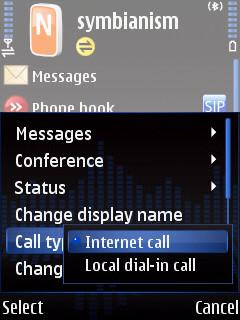
VoIP, chat, and twitter program Nimbuzz connects to SIP (the standard VoIP protocol), GoogleTalk, Jabber, MSN (Windows Live), Yahoo, AIM, Twitter, Gadu-Gadu, Facebook, MySpace, orkut, and Hyves.
It used to connect with ICQ too, but not anymore. After having to remove Skype from their program they had to do the same with ICQ.
The reason: money.
ICQ wanted Nimbuzz to pay for everyone who chats over their network with Nimbuzz. Obviously that's not gonna happen for a free program. Nobody pays to chat, so there's no way for Nimbuzz to recoup the money.
No more Skype in Nimbuzz and fring is a big loss. Having ICQ removed from Nimbuzz is no big deal because there are plenty of other instant messaging networks left. But let's hope that GoogleTalk and MSN don't follow the bad examples set by Skype and ICQ, because then the end of multi-network chat programs is nearby.
ICQ doesn't seem to work anymore with Palringo either. Fring still has ICQ. But who knows for how long?
• Nimbuzz
• fring
• Palringo
Monday, 1 November 2010
Symbian steals my money
Symbian may have gone open source, but it is a commercial operating system for commercial phones from commercial companies who use it to make as much money as possible. That's why Symbian Signed protects the interests of Big Business at the expense of the small independent programmers who have to pay to get their programs signed even if they want to give them away for free.
Symbian being commercial is no problem as long as you can choose to pay for it if you want instead of being forced to hand over your money. If you prefer the products of the competition, you shouldn't have to pay a single penny to Symbian.
But now I have to pay for Symbian whether I use it or not. Because the makers of Symbian held out their greedy hands and pocketed €22000000 of my tax money from the European Union to increase the profits of Nokia.
If the shameless beggars from Symbian would have had balls they'd have refused this tax handout. They wouldn't even have applied for the money to begin with.
What's next? Will this get just as ugly as the Boeing vs. Airbus subsidy war? Are Android and Apple going to grab a cut from the Stimulus Program? Will RIM lobby to get their Blackberries subsidised by the government? Will we have to pay a Windows Mobile Tax because Bill Gates is short on cash? Funding phone operating systems with public money is plain wrong!
Shame on you, $ymbian. I want my money back!
UPDATE: The 22 million is split by the taxpayers and the members of the Symbian Foundation, so we only got scammed for eleven million. And now Symbian has the nerve to defend their actions on their blog and tell us they only stole half. Maybe I should start robbing people on the street and see if I can get away with it if I only take half their cash?
• Symbian bragging about their robbery
Monday, 25 October 2010
Nimbuzz forced to wipe Skype (just like fring), official mobile Skype application sucks
Many years ago, chat networks like MSN tried to stop multi-network instant messenger Trillian from including their network into its "one app to bind them all" program. But not anymore, because they learned that people are connected to multiple networks and they don't want to run a separate program for each of them. You wouldn't want to run separate web browsers for .com and .net domains either, would you?
What goes for computers also goes for mobile phones. Multi-network clients fring and Nimbuzz combine a bunch of instant messaging networks, VoIP using the widely used SIP standard, and Skype as well.
But not anymore. Skyped turned back the clock and blocked fring (or fring ditched Skype, check the mudslinging on the fring forum), and Nimbuzz announced that they'll have to dump Skype at the end of this month. Not because they want to, but because Skype told them to.
Nimbuzz connects to VoIP using SIP, GoogleTalk, Jabber, MSN (Windows Live), Yahoo, AIM, ICQ, Twitter, Gadu-Gadu, Facebook, MySpace, orkut, and Hyves. It does Twitter too.
Fring has VoIP (SIP), GoogleTalk, MSN (Windows Live), ICQ, Yahoo, AIM, Twitter, and social networking sites like Facebook and orkut. Fring is also a GMail notifier, last.fm radio player, Facebook tool, Twitter application, and it includes Wi-Fi hotspot finder WeFi.
Skype's own Symbian application pales in comparison. It does Skype and nothing else. So if you want to be connected to all your chat and VoIP networks you'll have to run two programs, which takes an extra bite out of your battery life. Yes, that sucks.
My advice: boycott Skype until they accept that multi-network programs are the way to go and being anal retentive is just plain stupid. Don't pay Skype a single penny until they grow up.
• Nimbuzz
• fring
• Skype for Symbian
Monday, 12 January 2009
Signing .sis Symbian installer files: which programs to use and where to get a free developer certificate?

Update: new hacks for Nokia and SonyEricsson phones with S60v3, S60v5, and Symbian^3. No certificates needed!
Most Symbian phones refuse to install "unsigned" software. Programs need to be "signed" with a digital certificate before Symbian allows you to install them on your very own Nokia or other Symbian phone. If computer programs would have to get approved by something called Windows Signed there'd be public outrage, and Microsoft would be flooded with lawsuits. But for some reason Symbian (read: Nokia) gets away with it.
Commercial Symbian software usually comes pre-signed and ready to install on your phone without further ado. But getting software signed for distribution requires a Publisher ID, which costs hundreds of dollars. For obvious reasons most authors of non-commercial software are not going to buy expensive Publisher IDs to sign their freeware.
A year ago Open Signed Online was started to cater for the creators and users of non-commercial freeware, but so far it fails miserably. Open Signed Online is still in beta testing and it shows. The procedure is unnecessarily complicated, especially if english is not your native language. It requires each and every user of unsigned freeware to upload the files to be signed, hand over their IMEI number and email address, wait until Symbian Signed emails back to them, respond to that mail, wait for another mail with a download link, and then return to the Open Signed Online site to download a signed copy of the program. Open Signed Online won't work on large files (the current limit is 4 MB), is not available in any language other than english, and its web site is unsuitable for mobile phone web browsers.
And if you want to install another program, or the same program or another phone, you'll have to suffer the same ordeal again.
As a result, Symbian Signed protects the financial interests of a few commercial software companies at the expense of all the non-commercial programmers and the millions of people that use their freeware. As long as things don't improve, make sure to avoid Symbian Signed like the plague.
So what are the alternatives to Open Signed Online?
You can set your phone free with one of the Symbian hack applications and use the SIS Installer Mod to avoid the inconveniences op Symbian Signed. Unfortunately you can't hack new phones with new firmware, so you can't use the SIS Installer Mod on those phones.
Fortunately there are free programs to sign .sis files without taking the long and winding road of Open Signed Online.
Programs to sign Symbian .sis installer files on your computer:
• SISContents
• FreeSigner
• SignSIS
Programs to sign Symbian .sis installer files on your phone:
• FreeSigner
• MobileSigner
Of course you'll need a certificate to sign .sis files with these programs. And if you want the signed applications to have enough capabilities to be useful, you need to sign them with a Developer Certificate. Symbian Signed won't give you a DevCert, so you'll need to get one elsewhere. You used to have to struggle with chinese websites to get certificates, but recently they've become available on english sites too.
Not all certificates are equal. The certificates from OPDA can give your programs DiskAdmin capability. Certificates from other places may not give your programs all the capabilities they need.
Places where you can get your own free certificate (these certificates give your programs "17 capabilities," including DiskAdmin, which you need for the HelloOX method):
• OPDA forum
• OPDA certificates (english language version)
• iMobile
• guide to getting certificates from iMobile
• DevCert Generator, an english language frontend of cer.s603rd.cn (sometimes this site doesn't work, sometimes it hands out certificates without DiskAdmin capability, but sometimes it gives certificates with all required capabilities to sign and install HelloOX)
• Nokioteca (italian site)
• Nokioteca guide on Symbian Freak (login/signup required)
• SIGNSIS
• S60 Certificate Key, another english language frontend of cer.s603rd.cn (sometimes this site doesn't work, sometimes it hands out certificates without DiskAdmin capability, but sometimes it gives certificates with all required capabilities to sign and install HelloOX)
If s60certkey.com asks you to download a toolbar, click "cancel." After the page reloads, right-click the cer and key file links and select "save as..."from the menu. This way you'll get the cer and key files without the toolbar.
Publisher IDs get revoked, certificate makers go on- and offline, and sites that work today may no longer work tomorrow.
Keep in mind that your developer certificates are made for you for free by friendly volunteers, so please behave accordingly. If you get your developer certificate from a user forum, don't just go there to grab a certificate but try to contribute something to the forum as well.
Update: new hacks for Nokia and SonyEricsson phones with S60v3, S60v5, and Symbian^3. No certificates needed!
Sunday, 11 January 2009
The Number of the Beast: How Nokia turned its Symbian version numbers into a complete and utterly complicated mess

The way Symbian and S60 are named comes straight out of the book called "How To Turn Version Numbers Into a Complete and Utterly Complicated Mess For Maximum Confusion."
Want to download some software for your Symbian phone? Then you probably want to check if the version of the program is compatible with the version of Symbian that runs on your phone.
Do you get dizzy easily? Then stop reading now. Don't say I didn't warn you.
S60 is an interface on top of Symbian, a bit like Gnome and KDE on Linux.
S80 is an interface on top of Symbian.
S90 is an interface on top of Symbian.
S40 is an interface on top of... wrong! S40 has nothing to do with Symbian.
OK, that was easy. Now let's look at the gory details of S60, the thing that runs on most current Nokia smartphones:
S60 first and second edition are so alike that software written for one works on the other.
But software for S60 version 3 is not compatible with the 1st and 2nd editions. And programs for S60 3rd may or may not run on S60 5th ed.
And just because something works on the mobile operating system with the friendly name "Symbian S60 3rd edition Feature Pack 1" doesn't necessarily mean it will work on the same thing with the last digit changed fom 1 into 2. Just install a theme for feature pack 1 on a feature pack 2 phone and you'll see how ugly things can get.
But that wasn't enough for Nokia. "Let's make things even more counterintuitive" said someone at Nokia HQ:
S60 1st ed. runs on Symbian 6
S60 2nd ed. runs on Symbian 7
S60 2nd ed. also runs on Symbian 8
S60 3rd ed. runs on Symbian 9
S60 4th ed. doesn't exist
S60 5th ed. runs on Symbian 9, just like the 3rd edition
Still awake? Let's do something about that. Take a deep breath and concentrate on the feature packs. To prevent irreversible brain damage we'll only look at the feature packs of the widespread S60 3rd edition:
Symbian 9.1 for Nokia: S60 3rd ed. without any feature pack
Symbian 9.2 for Nokia: S60 3rd ed. with feature pack 1
Symbian 9.3 for Nokia: 3rd ed. with feature pack 2
Symbian 9.4 for Nokia: 5th ed. without any feature pack
As clear as a bucket of mud mixed with bottle of black ink in a tar pit at night with all the lights broken beyond repair.
But let's consider ourselves lucky. Nokia didn't label its Symbian flavours in the hexadecimal numbering system. Not yet.
• S60 versions and phone models
Saturday, 17 May 2008
S60 mp3 player rant: why is there no Symbian version of WinAmp?
There's no good, WinAmp-style mp3 player for Symbian S60. I tried about all of them, and none of them was good.
Deal breakers indicated with a *.
The winners: Nokia's built-in player, tamed with this folder structure workaround, and PowerMP3. Which one works best depends on which version of Nokia's player came with your phone. Runners-up: TTPod and LCG Jukebox. All the other music players for Symbian are a waste of time.
updated May 6, 2009
Nokia's built-in player
€0 (hidden in price of phone)
* Music Library only displays track title. No option to display tracks as artist-title or by file name, which makes navigation of large music collections unnecessarily complicated.
* Music Library ignores folder structure, which makes navigation of large music collections unnecessarily complicated. Workaround: copy the folder name to the composer field of the mp3 tags.
* Music Library is unable to ignore ringtone folder(s).
* Some versions of Nokia's music player don't have a "now playing" list. And those versions that have one can't append tracks to it. Selecting a new track or group of tracks overwrites the current list. (workaround: create a temporary ad hoc playlist)
* Playing a song automatically adds the entire virtual folder (artist, album, genre) to the "now playing" list instead of just the selected track.
- Opening a track from the file manager launches the player in reduced functionality mode.
- Player stores playlists in the root of the phone memory or memory card instead of in a user-defined folder.
ALON MP3 Player
US$20
* No version for S60 v3 available (yet).
CorePlayer
US$25
- Player running in the background doesn't show anything on the standby screen.
* Program crashed when I tried to play an m3u playlist.
* Navigation by folders, but not by mp3 tags like artist or genre.
CubiX MP3 Player
US$12
* No version for S60 v3 available (yet).
EzPlay
US$5
* No version for S60 v3 available (yet).
FIVN Player
€6
* Lengthy search for tracks everytime you start the program.
* Displays all tracks in one giant, non-searchable list, which makes navigation of large music collections impossible. No ordering by genre or artist, completely ignores folder structure or mp3 tags.
- Player running in the background doesn't show anything on the standby screen.
* Player window doesn't indicate which track is playing.
* Doesn't support playlists.
* Can only play all tracks in alphabetical or random order. Can not play a selection of tracks, can not play tracks in user-defined order.
GlassPlayer
€3
* Endless requests to permit reading user data on phones that don't have an "always allow" setting.
* Refused to add any tracks to playlist.
* Refused to play any tracks.
Handy Music
free
* Shows all your songs in one big list which can't be searched. Useless for large music collections.
* Ignores folder structure and mp3 tags.
KD Player
free
* Refused to add tracks to library.
LCG Jukebox
US$25
- Lyrics viewer doesn't see lyrics stored in IDv2 tags.
- Player running in background shows on standby screen, but can't be controlled or launched from the standby screen.
- Closing the player from the exit softkey launches an "are you sure?" dialog which can not be switched off.
* No navigation by tags like artist or genre, only by folders.
LyricsPlayer
free
* Program extremely slow.
* No sound at all.
* Endless requests to permit reading user data on phones that don't have an "always allow" setting.
MMPlayer
US$18
- Player running in the background doesn't show anything on the standby screen.
* Doesn't support .m3u playlists.
- Hard to navigate user interface.
* No navigation by tags like artist or genre, only by folders.
Mobile Media Player
free?
* No version for S60 v3 available (yet).
Mobiola Media Player
US$15
* No version for S60 v3 available (yet).
moremedia
US$10
* No version for S60 v3 available (yet).
MP3 BASE-STEREO-EQ
US$15
* No version for S60 v3 available (yet).
MP3Go
US$45
* No version for S60 v3 available (yet).
MP3 Gravity
€13
* No version for S60 v3 available (yet).
MP3 Music Box by Spinlet
* No version for S60 v3 available (yet).
MSI Blue Player
?
* Doesn't play anything without bluetooth devices.
muzee
US$15
* Doesn't support playlists.
* Couldn't test the program because it kept crashing.
MyStrands Social Player
free
- Player running in the background doesn't show anything on the standby screen.
* Music Library ("My Music") ignores folder structure, which makes navigation of large music collections unnecessarily complicated.
* There's a "Playlists" entry in the "My Music" panel, but it didn't work with my m3u playlists.
* Plays all selected tracks in alphabetical or random order, but not in user-defined order.
OggPlay
free
- Installation is a mess. Expired certificate, needs special skin to work on most phones.
- Can't make playlists from within OggPlay.
- Player running in the background doesn't show anything on the standby screen.
* Ignores the volume rocker.
* Lists of tracks, artists etc. can only be scrolled, not searched. Can't scroll lists of tracks, artists etc. by keeping the navigation button pressed. Scrolling requires a single keypress for each and every line, which makes large music collections impossible to navigate.
PowerMP3
free (beta test version)
* Music Library only displays track title. No option to display tracks as artist-title or by file name, which makes navigation of large music collections unnecessarily complicated.
* PowerMP3 gets the sort order of m3u playlists wrong if the lists were made or edited with other programs (such as WinAmp or Symbian's built-in music player), and songs with characters like ã, ç, and é won't show up in the playlists at all. And if you edit a playlist with another program, PowerMP3 won't pick up the changes.
- Player running in the background doesn't show anything on the standby screen.
- Sorts music by mp3 tags artist, album, and genre, but not by composer.
- Beta test version.
RealPlayer for Mobile
free
* No version for S60 v3 available (yet).
S+Amp Music player
free
- Player running in the background doesn't show anything on the standby screen.
* Ignores the volume rocker.
* Doesn't support playlists.
* Displays all tracks in one giant, non-searchable list, which makes navigation of large music collections impossible. No ordering by genre or artist, completely ignores folder structure or mp3 tags.
Telstra Music Player
free (not available for non-telstra customers)
- Player running in the background doesn't show anything on the standby screen.
* Ignores the volume rocker.
* Displays all tracks in one giant list which makes navigation of large music collections impossible. No ordering by genre or artist, completely ignores folder structure or mp3 tags.
TTMusic
free
* Program crashed on launch.
TTPod
free
- Active Standby screen mini player doesn't work.
* Doesn't support m3u playlists.
* No ordering by genre or artist, ignores mp3 tags (even though it has an mp3 tag editor).
UltraMP3
€5
* No version for S60 v3 available.
Viking Mp3Player
€10
* After installation the program did not appear in the applications manager of my phone.
- Player running in the background doesn't show anything on the standby screen.
* Doesn't support playlists.
* No ordering by genre or artist, completely ignores mp3 tags. Doesn't display subfolders as subfolders.
* Slow menus.
|

