
Finally! Nokia has seen the light and made some Android phones!
They're low-end models, they're made to look like Windows Phones, and
they have a watered-down version of Android with a Nokia app store
that's as empty as the Windows Phone software shop, but it's a start.
Because they have all the Android drivers built in, it shouldn't be too
hard to make custom ROMs with the full Google Play Store and all its
apps and Google syncing options.
Back when Nokia wouldn't even
look at Android there was a CyanogenMod port for the Nokia N9, but that
phone got abandoned real quick. But the new Nokia Android phones should
have a longer lifespan, and maybe Nokia will add a few better-specced
Androids later on?
Nokia hardware with the flexibility of Android... sounds like a promising alternative for when your Samsung needs replacement.
Update: Done! Nokia X rooted and filled with Google apps.
• Google apps on Nokia X at xda
Monday, 24 February 2014
CyanogenMod for Nokia?


Wednesday, 12 December 2012
Nokia Map Loader alternative a bit more up to date with dozens of new countries

It's been a long time since I used Nokia Maps, Ovi Maps, or whatever it's called now. I haven't thought about it in ages, until I got an email from Gv786g (how do you pronounce that?) who asked me which map files work with Ovi Maps 3.06 on an N97.
Looks like Nokia Maps for Symbian is still alive. Since my last visit (a long time ago) Nokia added dozens of countries, mainly in Africa, Central America, and the Caribbean. Nokia also split the maps for Brazil, India, and Russia into parts so you don't have to cram everything on your memory card if you only need a little piece of the country.
Countries added: Angola, Aruba, Belize, Bermuda, Bolivia, Brunei, Burundi, Costa Rica, Côte d'Ivoire, Cuba, Dominican Republic, El Salvador, Ecuador, Ghana, Guadeloupe, Guatemala, Guyana, Honduras, Iceland, Jamaica, Kazakhstan, Malawi, Maldives, Montenegro (no longer with Serbia), Nepal, Panama, Paraguay, Rwanda, Saint Barthélemy, Sri Lanka, Suriname, Tanzania, Trinidad and Tobago, Uganda, Uruguay, US Virgin Islands, Yemen, Zimbabwe.
Not all these maps are very good, though. Many maps outside Europe, USA, and Japan don't have more than the main roads on them. But hey, they're free and they work offline, which can save you from instant bankrupcy when you're traveling out where international data roaming costs a fortune.
Are you still using Nokia Maps, Ovi Maps, or whatever it's called on Symbian? Then maybe the new maps are useful for you. Google may make better maps, but free offline navigation on Android could use a bit of Nokia.
The old maps are updated too, and so are the index files that tell your phone what's where on the map.
Let me know if the maps and index files work for you or if there's anything wrong with the collection of links on the Nokia Map Loader alternative pages.
• Nokia/Ovi Map Loader alternative
Sunday, 25 September 2011
Symbian hacks alive and kicking: Norton, DrWeb, TrendMicro, and UMU let you hack your Nokia or SonyEricsson without certificates
Hacking Symbian used to be so easy. You'd download a hacking app, sign it with a certificate that you could pick up from many Symbian forums and other sites, and your phone would be all yours.
But then Nokia cracked down on developer certificates. If you still have an old developer certificate you can use it, but since they're tied to your IMEI you can only use it on the phone for which the certificate was originally created.
Of course the hackers always win. You can flash your phone with hacked firmware, or can can use a loophole in Norton Security, DrWeb, TrendMicro, and UMU.
Yes, that's right. Antivirus programs let you break and enter Symbian! Just download the Norton hack (or one of the other hacks), apply it, and then install ROMPatcher to get into the parts of your phone that Nokia doesn't want you to enter. You don't even need to sign the hacked sis files, just install and run and you're in.
So if you found an old Nokia in the basement, blow off the dust and hack it back to life. S60v3, S60v5, Symbian^3, anything goes. If you found an old SonyEricsson then the UMU hack is your friend.
The antivirus hacks for Nokia:
• Hack Symbian with Norton (CODeRUS)
• Hack Symbian with Norton (symbian freak) UPDATE: This link is dead. And so is Symbian.
• Hack Symbian with DrWeb (CODeRUS)
• Hack Symbian with DrWeb (symbian freak) UPDATE: This link is dead. And so is Symbian.
• Hack Symbian with Trend Micro (CODeRUS)
• Hack Symbian with Trend Micro (symbian freak) UPDATE: This link is dead. And so is Symbian.
The antivirus hack for Nokia and SonyEricsson:
• Hack Symbian with UMU, SonyEricsson too (CODeRUS)
• Hack Symbian with UMU, SonyEricsson too (symbian freak) UPDATE: This link is dead. And so is Symbian.
More hacks:
• index of Symbian hacks (symbian underground)
Friday, 16 September 2011
What to do if maps make Nokia Maps crash?
I got an email from christian who pointed out a problem with his version of Nokia Maps. It may bite other versions too.
If you run Nokia Maps v3.04 and you download the latest maps through nokiamaps.site666.info, the maps app may crash. It may be because of maps/app combo, or because the latest maps are not compatible with the old Symbian S60v3.
Workaround: use one of the other map versions for Nokia Maps 3.x.
Hi,
thanks for this great site that makes downloading maps to mobile very easy.
I have a small remark:
I own a Nokia E52 which runs Symbian S60v3. On this platform the latest available Ovi Maps version is v3.04 10wk17 b07 (this is not the latest version, but Nokia offers only this version for download if you choose E52). This maps version will crash when accessing cards downloaded from your "Maps for Ovi Maps 3.0" page (maps00_02_42_122.html), but work just fine with Maps from "older maps for version 3.0 (also work with some newer versions, and with test version 3.0 beta)" (maps00_01_22_103.html). This had me scratching my head for several days (and reformatting my SD card ;)) until I finally figured out what was wrong.
I think it would be cool if you can put a remark on the page that says that the "Maps for 3.0" do not work with 3.04 maps version, this would help other people not making the same mistake that I did.
thanks and best regards,
christian!
Thanks christian for pointing this out.
Do you have some problems or solutions? Please share them by commenting on this blog post or clicking the email link on the bottom of this page.
• Nokia Map Loader alternative
Monday, 1 August 2011
ActiveFile offline

File manager ActiveFile has some great extras. It's also a task manager, and it can reboot your phone, make screenshots, and make fake messages too. What really sets ActiveFile apart is that it can backup and restore your SMSs.
Unfortunately its website is down. Alietan.com expired on July 30, 2011. Maybe Alie Tan will renew it, maybe he moved on to Android and said goodbye to ActiveFile.
Since legit app sites point to the defunct alietan.com for their downloads, the only way to get the program is from forums of ill repute like iP-mart, noeman.org etc.
Or you can download it from here:
• Active File 1.44.5 (basic and manufacturer capabilities versions) hosted by symbian underground
Friday, 22 July 2011
Nokia Maps on Android, sort of

Android would be much better if it would run Nokia Maps. It doesn't, but maybe that will change?
If your phone runs Froyo or newer, fire up any Android web browser that supports HTML5 (stock browser, Dolphin, etc.) and go to http://maps.nokia.com to get a preview of what Nokia Maps on Android could be like. It also works on iPhones.
If you allow your browser to access your location it will show your position on the map. It can calculate and display routes, together with a rough estimate of how long it will take you to walk or drive from A to B. It also shows public transport lines, and you can search for tourist attractions, bars, restaurants, banks, brothels, etc.
It doesn't do voice navigation (yet?), and you'll need to be online to search for places, calculate routes, and see the map. In its present state you're better off with Google Maps for online navigation or a real (but usually expensive) offline navigation app like Navigon or CoPilot.
But that might change. Maybe we're lucky and the future will bring us a true Android port of one of the few apps that makes me keep my old Nokia as a backup phone. A Symbian emulator might also do the job.
• http://maps.nokia.com
crossposted from android underground
Friday, 24 June 2011
Symbian Signed certificate change kills the HelloOX2 hack for Symbian^3 (and Just HackIt! too)
Update: new hacks for Nokia and SonyEricsson phones with S60v3, S60v5, and Symbian^3. No certificates needed!
Symbian has a long history of hacking methods. Manual hacks, HelloCarbide, HelloOX, HelloOX2, firmware flashing, Just HackIt!
As long as Symbian lives (which won't be long), it will be hacked.
But Nokia keeps trying to stop the hackers from entering the system folders on their own phones, and sometimes they manage to close the doors for a while until the hackers develop a new lock pick. They can't lock you out of your old Symbian S60v3 phone, but they've managed to shut the doors for owners of Symbian^3 phones who didn't get their own developers certificate yet.
The HelloOX team is having problems with the latest version of HelloOX2 (v2.11) because Symbian Signed closed a hole in their certificates. HelloOX2 is back to v2.03 now, which opens Symbian S60v3 but not Symbian^3.
The problem: the new "17 capability" developer certificates generated by Symbian Signed since 27 June 2011 no longer sign HelloOX2 in a way that makes it work on Symbian S^3 phones.
Because HelloOX2 hacks Symbian^3 with code "borrowed" from Just HackIt! they closed the original Symbian^3 hack too.
So if you want to hack your Symbian^3 phone but you didn't get your own developer certificate yet, you'll have to wait until the hackers find a way around Nokia's certificate restriction.
• Just HackIt! by CODeRUS
• HelloOX2 UPDATE: This link is dead. And so is Symbian.
Update: new hacks for Nokia and SonyEricsson phones with S60v3, S60v5, and Symbian^3. No certificates needed!
Tuesday, 24 May 2011
Got my money back: EU revokes Symbian subsidy

Last year the EU decided to give the makers of Symbian a €11000000 to help Nokia increase its profits.
Not much later Nokia decided to join the dark side (Windows Phone) and dump Symbian.
The EU used Nokia's decision to kill Symbian to revoke the Symbian subsidy. A subsidy that shouldn't have been handed out to begin with.
Now let's hope they won't repeat their mistake. My tax money is NOT meant to subsidise operating systems on commercial products made by commercial enterprises. Not Android, not Windows Phone, not Blackberry, not Symbian.
Wednesday, 20 April 2011
Just HackIt! hacks the remains of Symbian
Update: new hacks for Nokia and SonyEricsson phones with S60v3, S60v5, and Symbian^3. No certificates needed!
Nokia is ditching Symbian, but the obsolete operating system still tries to fight hacking attempts as if its life depends on it.
Needless to say, Symbian is losing the fight. CODeRUS released a new Symbian hacking app in the tradition of HelloCarbide and HelloOX.
The latest crowbar to force your way into the system folders is called Just HackIt! It lets you install unsigned programs through a modified installserver.exe just like all the other hacks, so once hacked you don't need to worry about signing and certificates. And CODeRUS made a version of ROMPatcher for Symbian^3 too, so say goodbye to noisy camera clicks and other unwelcome Symbian limitations.
• Just HackIt! from CODeRUS
• ROMPatcher for Symbian^3
• ROMPatcher patches for Symbian^3 (Open4All, remove recording beep, and more)
Note: Symbian^3 is not the same as Symbian S60v3.
• more about Symbian hacking on symbian underground
Update: new hacks for Nokia and SonyEricsson phones with S60v3, S60v5, and Symbian^3. No certificates needed!
Friday, 18 March 2011
Nokia Map Loader Alternative: links fixed, countries added
The latest version of Ovi Maps 3.x lets you download maps to your memory card straight from the app itself, so there's no need anymore to use Nokia's clunky Ovi Suite that won't run on Mac and Linux.
But if downloading maps straight from your phone doesn't work, there's a manual method: the Nokia Map Loader Alternative, which works with any web browser on any operating system.
Nokia changed the location of their map files, and the map loader alternative changed so that it points the right way again.
New countries added to the list: Bahamas, Cayman Islands, Colombia, Iran, Kenya, Lebanon, Moçambique, Nigeria, Peru, Réunion, and the Virgin Islands
If the links stop working in the future, feel free to post a comment on this blog or click the email link on the bottom of this page.
• Nokia Map Loader and Nokia Maps Updater Alternative
Ovi Maps 3 doesn't work on older Symbian phones. Check the Ovi Maps site to see if your phone will run Ovi Maps 3. If it doesn't, try Nokia Maps 2.0 instead.
• Ovi Maps and Nokia Maps Updater from nokia.com
• archived copy of Nokia Maps 2.0 (with free voice navigation) on Mobile Castle UPDATE: This link is dead. And so is Symbian.
Wednesday, 2 March 2011
Idea for Nokia: Run Windows on a Symbian phone
Nokia may move to Windows, but they still expect to sell 150 million more phones running on the dying Symbian. Something just doesn't sound right here.
Would you buy a Symbian phone in the knowledge that even its maker doesn't believe in it anymore? Even if Nokia keeps updating the operating system the stream of updated 3rd party apps will dry up, and don't count on anyone making new Symbian programs in the knowledge that they'll be obsolete tomorrow.
But what if you could buy a Symbian phone, and then install Windows Phone on it when it's ready? PCs can run Windows, Linux, and Mac OS X. The iPhone can run Android. And Nokia will tweak Windows to run on hardware that has been tailored for Symbian for many years. So why not offer the buyers of the 150 million Symbian phones that Nokia still expects to sell the option to switch to Windows without having to buy a new phone?
Nokia could ask 3rd party application developers to offer a free switch from a license for Symbian to a license for Windows Phone. Nokia has the power to negotiate such a deal. After all, they hold the keys to the Ovi store.
An emulator that lets you run your old Symbian apps on the new Windows system is another way to ease the transition.
Not that I really care, because I ditched my old Nokia for a new Android phone. So expect to see an Android version of this blog in the near future.
By the way, isn't it a little fishy that Nokia announces to kill Symbian after pocketing millions of tax euros from the European Union which they're supposed to spend on Symbian development? I wonder if I will get my money back.
Monday, 24 January 2011
ActiveFile fixes old bugs but comes with a new problem
X-plore is the best file manager for Symbian if you want to manage files. But file manager ActiveFile has a few extra features beyond file managing that make it a great program.
ActiveFile is also a task manager. And it can reboot your phone, make screenshots, back up your SMSs, and it can make fake messages too.
The file manager gets the job done. The two pane layout makes it easy to move files between folders. Unfortunately ActiveFile lacks the "tree view" option of X-plore. The # key selects and deselects files and folders, unlike previous versions of the program. Unfortunately the selection marker is very hard to see on white file icons.
The screenshot tool of ActiveFile usually needs to be triggered with the C (delete) key, unless you have a very old phone that still has a pencil key. The camera key can make screenshots in theory, but on my phones it keeps launching the camera instead of making screenshots.
The option "turn light on" is probably meant to light the led so you can use your phone as a flashlight, but this didn't work on any of my phones. If you want to use your phone as a torch, use BrightLight.
SMS backup and restore is the best feature of ActiveFile. You can back up and restore every message folder, including your custom message folders. Better yet, ActiveFile can restore your messages in a non-destructive way: if you restore a backup, new messages that arrived after you made the backup stay on your phone. If you send a backup from one phone to another, the two SMS folders are merged perfectly. Not even Nokia's own Ovi Suite will do that for you.
You can choose whether the SMS backup file should be stored on your phone's own memory or on your memory card, but you can't select the folder in which ActiveFile should store the backup. ActiveFile doesn't even tell you the location of the backup file, and the SMS backup screen has no options for copying backups to your computer, storing them online, or sending them to other Symbian phones to merge different messaging folders. Of course there's a workaround to do all that: just navigate to the backup files in any file browser to copy, send, move, or delete 'em. ActiveFile stores your backups in C:\Data\Others or E:\Others, depending on whether you choose internal memory or memory card as backup location.
ActiveFile may crash with an out of memory error when you restore backups with a lot (many hundreds) of messages, so don't rely on ActiveFile as your only SMS backup method.
ActiveFile can create fake SMSs. Unlike other fake SMS creators like Free-iSMS and Fake Messages (which can only fake incoming messages), ActiveFile can fill your inbox and sent folder with fake incoming and outgoing SMSs. Old versions of ActiveFile would get the date and time of your fake messages wrong, but the latest version gets it right.
The latest version (v1.44.5) fixes some other bugs (details here UPDATE: This link is dead. And so is Symbian.) too. It works well on my phones except for one: on my old Symbian S60v3 feature pack 2 phone the program shuts down whenever I try to open the options menu. On this phone I'll stick with version 1.44.0, which fortunately is still available on the ActiveFile website.
• ActiveFile from Alie Tan UPDATE: This link is dead. And so is Symbian.
Wednesday, 12 January 2011
Nimbuzz uses less data and can make you invisible, but watch your SIP and connection settings
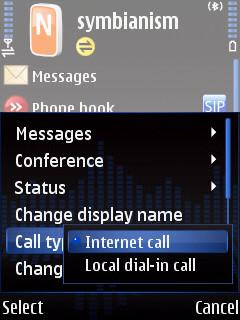
VoIP, chat, and twitter program Nimbuzz talks to SIP, GoogleTalk, Jabber, MSN (Windows Live), Yahoo, AIM, ICQ, Gadu-Gadu, Facebook, Twitter, MySpace, orkut, and Hyves.
The latest update promises to use 70% less data, which sounds good if you use Nimbuzz over 3G. Keep in mind that 70% means "up to 70%." Your mileage may vary and will probably be less. You can now also log into your chat networks in invisible mode, and block chat attempts from anyone who's not on your contact list.
The previous update reset my notification sounds and vibration alerts to default, but this version left them the way they were.
So far, so good. But...
...unfortunately the latest edition still behaves badly. I installed version 3.01 on top of the previous version, but my preferred VoIP provider was reset from SIP to NimbuzzOut without any warning. Maybe Nimbuzz doesn't like competition? So don't forget to go through the settings again when you install a new copy of Nimbuzz on top of the old version.
Another annoyance: whenever I connect over 3G, Nimbuzz stores that connection as "preferred carrier" without asking me, and there's no way to switch this unwanted behaviour off. Worse yet, at next launch Nimbuzz automatically tries to use this connection, and hitting "cancel" shuts down the application instead of asking you how you want to connect. Nimbuzz should definitely fix this in the next update.
• Nimbuzz
• fring (the main competitor of Nimbuzz)
Monday, 10 January 2011
Skyfire for Symbian is really dead

Skyfire was never a good mobile browser. It was slow, ate lots of data, only worked in North America and Western Europe, and it sucked your battery dry real quick. But it did let you watch Flash and QuickTime movies where other browsers failed, and because of its american proxy server Skyfire allowed those outside Germany, England, and the USA to listen to last.fm without having to buy a subscription.
But not anymore. Skyfire for Symbian was pulled from Skyfire's own website and the Ovi store a while ago, and all the copies on forums and other sites stopped working. No version of Skyfire connects on my Nokias. Skyfire for Symbian is really totally dead now.
Maybe I'll meet Skyfire again on Android. Sure, Android can do Flash by itself, but bypassing the geographical restrictions of last.fm through Skyfire's proxy server is a good thing too.
Friday, 26 November 2010
Web browsers: Opera Mobile fast, Skyfire dead, Bolt new
Opera Mobile

The big brother of Opera Mini is updated: version 10.1 is no longer in beta testing. Unlike Opera Mini, Opera Mobile doesn't use a proxy server so there's nothing in between you and the web. Version 10.1 scrolls smoother and runs javascript faster.
Opera Mobile has a turbo mode which makes it behave like Opera Mini. The main advantage of turbo mode is that it saves a lot of data traffic, which could make a big difference on your phone bill if you're roaming abroad and pay by the megabyte. It looks like Opera Mini in just about everything else too. Same user interface with tabbed browsing, Opera Link to synchronise your bookmarks and speed dials with other Opera browsers (like Opera Mini) on all your phones, and the same annoying "are you sure" confirmation screen when you want to close the program.
• Opera Mobile
Skyfire
Skyfire is not a good mobile browser (slow, eats lots of data, only works in North America and Western Europe), but it does let you watch Flash and QuickTime movies, and because of its american proxy server it allowed those outside Germany, England, and the USA to listen to last.fm without having to buy a subscription.
But hurry, because Skyfire is going to ditch Symbian. Skyfire's site only lets you download the iPhone and Android versions, and they announced that the proxy-based Symbian version 1.0 will stop working at the end of the year. The latest Symbian version of Skyfire is 1.5, but all the signs indicate that this version will die together with version 1.0.
• Skyfire
Skyfire for Symbian is no longer available from Skyfire's own website, and they've pulled out of the Ovi store too. You can still get Skyfire 1.5 from Mobile Castle:
• Skyfire 1.5 at Mobile Castle (you'll need to create a free account, or use BugMeNot) UPDATE: Mobile Castle is dead. And so is Symbian.
Update: Skyfire is really dead now. No version of Skyfire connects on my Nokia. They promised to kill it and they killed it.
Bolt

Now that Skyfire for Symbian is about to die, it might be a good idea to give Bolt a shot.
Symbian web browser Bolt does tabbed browsing, has a good user interface, and it does a good job at conserving page layout (except for sites with frames). Bolt plays YouTube and other Flash video, but Skyfire does it better.
There's no predictive text input, so entering URLs can be a bit unpleasant.
Bolt is made in mobile Java. The official site only gives you a .jad file, and wants you to download the corresponding .jar file from your phone for an on-the-fly install. Of course you can also open the .jad file in a text editor to look up the URL for the .jar file if you want to look inside the file before installing it on your phone.
If Bolt doesn't play sound on your phone, switch to a profile with warning tones on and try again. Yep, that sucks, but it's a disadvantage common to mobile Java programs.
• Bolt UPDATE: This link is dead. And so is Symbian.
• Bolt at GetJar UPDATE: This link is dead. And so is Symbian.
Wednesday, 10 November 2010
Hard times for multi-network instant messengers: Nimbuzz forced to axe ICQ
VoIP, chat, and twitter program Nimbuzz connects to SIP (the standard VoIP protocol), GoogleTalk, Jabber, MSN (Windows Live), Yahoo, AIM, Twitter, Gadu-Gadu, Facebook, MySpace, orkut, and Hyves.
It used to connect with ICQ too, but not anymore. After having to remove Skype from their program they had to do the same with ICQ.
The reason: money.
ICQ wanted Nimbuzz to pay for everyone who chats over their network with Nimbuzz. Obviously that's not gonna happen for a free program. Nobody pays to chat, so there's no way for Nimbuzz to recoup the money.
No more Skype in Nimbuzz and fring is a big loss. Having ICQ removed from Nimbuzz is no big deal because there are plenty of other instant messaging networks left. But let's hope that GoogleTalk and MSN don't follow the bad examples set by Skype and ICQ, because then the end of multi-network chat programs is nearby.
ICQ doesn't seem to work anymore with Palringo either. Fring still has ICQ. But who knows for how long?
• Nimbuzz
• fring
• Palringo
Friday, 5 November 2010
Nimbuzz got better looks and no more Facebook friends limit
VoIP, chat, and twitter program Nimbuzz connects to SIP, GoogleTalk, Jabber, MSN (Windows Live), Yahoo, AIM, ICQ, Gadu-Gadu, Facebook, Twitter, MySpace, orkut, and Hyves.
Nimbuzz has a well designed user interface, and that interface got better. The latest version of Nimbuzz lets you hide unused tabs. For example, you can get rid of the Twitter tab if you don't tweet. You can also remove the new "recent calls" tab, but I'm gonna keep that one.
Other new eye candy: chat interface with avatars and without, three views for the contacts list (avatars, no avatars, avatars for highlighted contact only), and if you send pictures to your friends you'll see a preview image in the chat screen.
More good news: the old limit of 400 Facebook contacts has gone. If Nimbuzz only could get Skype back into the program...
I downloaded Nimbuzz 3.0 and installed it on top of the old version. Unfortunately Nimbuzz forgot my settings. It remembered my network accounts and VoIP provider (because this is stored on Nimbuzz's server), but it reset my preferred VoIP provider from SIP to NimbuzzOut, which is a shameless way to plug their own calling plan. It also changed my notification sounds to default and reactivated all the vibration alerts that I switched off. So remember to go through the settings screens when you update your old version of Nimbuzz.
• Nimbuzz
• fring (the main competitor of Nimbuzz)
Wednesday, 3 November 2010
New UC Browser goes official

Unofficial english translations of the latest edition of chinese Symbian web browser UC Browser were already available on most mobile phone software forums, but now you can get UC Browser version 7.4 straight from the makers.
UC Browser is similar to Opera Mini. It routes sites through a proxy server to speed up surfing and reduce the data traffic consumed by your phone. Web pages can be displayed like in a desktop browser, which means lots of scrolling and zooming in and out on small phone screens. You can choose adaptive view instead. This resizes images and reflows text to fit the width of your screen, which eliminates the need for horizontal scrolling. Adaptive view in UC Browser 7.4 is much better than in older versions, especially for sites with extensive formatting and other eye candy. You can also activate page segmentation, which splits large pages into smaller ones for faster loading and easier browsing.
UC Browser has a download manager, makes it really easy to copy text and images, and deleting your browsing history and cookies requires less clicks than in other Symbian web browsers.
The "my shortcuts" screen of UC Browser looks like a mix of Opera Mini's speed dial page and a bookmarks menu. Unfortunately it is filled with links to sites chosen by the makers of UC Browser and you can't remove the clutter. Do these sites pay UC Browser to get themselves advertised this way? The shortcuts screen would be way better if it would mix speed dials with your own bookmarks folders.
• UC Browser
Tuesday, 2 November 2010
New improved version of phone book, call recorder and threaded SMS program Youlu

Youlu Address Book is more than an address book. It's also an SMS program, call recorder, and "vibrate on answer" application. A name like "Youlu Contacts" would fit this versatile program much better.
If you trust Youlu's server with your private data it can backup your contacts, messages, and calender to its server. This not only gets your phone book back when your phone gets lost or broken, but it's also useful for synchronising your data between phones. But even without Youlu's online backup there are still plenty of reasons to use this very useful program.
Youlu Adress Book does the things you expect from an address book (make phone calls, edit your contacts, send SMSs). The latest version reads the contacts on your SIM card too, and it lets you edit the pictures associated with your contacts. Youlu lets you tie ringtones to contacts if they're stored in the standard sounds folders on your phone. It doesn't see sound files in other folders, which is great if you want to set a ringtone without having to scroll through the thousands of MP3s that you may have stored in your music folder.
The SMS tab shows your messages as threaded conversations. The latest version of Youlu sees all your messages, even if you move them into custom folders. Even better, Youlu lets you choose whether you want to group conversations by contact or by folder. And unlike some other SMS programs, messages that you send with Youlu appear in the built-in SMS application of your phone too.
Some minor things to fix:
The phone book manager doesn't have all the fields from Symbian's built-in address book. Anniversaries, SIP (VoIP) numbers, and notes are among the missing entries.
The FreeCallSprite-like "vibrate on answer" function didn't work when I tried it.
The call recorder works if you activate it with the central navigation button, but the "record with camera button" option made Youlu crash on my phone.
Hitting the red hangup button sends the program to the background instead of closing it, and when Youlu runs in the background it won't show up in the task manager when you long-press the menu key. Exiting the program still requires a trip to the menu in the settings tab. Maybe a future version of Youlu can let us configure the behaviour of the red button and make the program appear the task manager when sent to the background?
If Youlu fixes the few remaining issues it will be very tempting to ditch my phone's built-in phone book and SMS client and use Youlu instead. Especially if it gets an offline backup function to store contacts, messages, and calender entries in a file on my own memory card and computer instead of on Youlu's server.
• Youlu UPDATE: This link is dead. And so is Symbian.
Last time I checked, the official site still offered version 1.0.1 of the program. But version 1.0.2 (which is much better) is available on Ziddu:
• Youlu 1.0.2 (english version) on Ziddu UPDATE: This link is dead. And so is Symbian.
Monday, 1 November 2010
Symbian steals my money
Symbian may have gone open source, but it is a commercial operating system for commercial phones from commercial companies who use it to make as much money as possible. That's why Symbian Signed protects the interests of Big Business at the expense of the small independent programmers who have to pay to get their programs signed even if they want to give them away for free.
Symbian being commercial is no problem as long as you can choose to pay for it if you want instead of being forced to hand over your money. If you prefer the products of the competition, you shouldn't have to pay a single penny to Symbian.
But now I have to pay for Symbian whether I use it or not. Because the makers of Symbian held out their greedy hands and pocketed €22000000 of my tax money from the European Union to increase the profits of Nokia.
If the shameless beggars from Symbian would have had balls they'd have refused this tax handout. They wouldn't even have applied for the money to begin with.
What's next? Will this get just as ugly as the Boeing vs. Airbus subsidy war? Are Android and Apple going to grab a cut from the Stimulus Program? Will RIM lobby to get their Blackberries subsidised by the government? Will we have to pay a Windows Mobile Tax because Bill Gates is short on cash? Funding phone operating systems with public money is plain wrong!
Shame on you, $ymbian. I want my money back!
UPDATE: The 22 million is split by the taxpayers and the members of the Symbian Foundation, so we only got scammed for eleven million. And now Symbian has the nerve to defend their actions on their blog and tell us they only stole half. Maybe I should start robbing people on the street and see if I can get away with it if I only take half their cash?
• Symbian bragging about their robbery
|


